
jj40
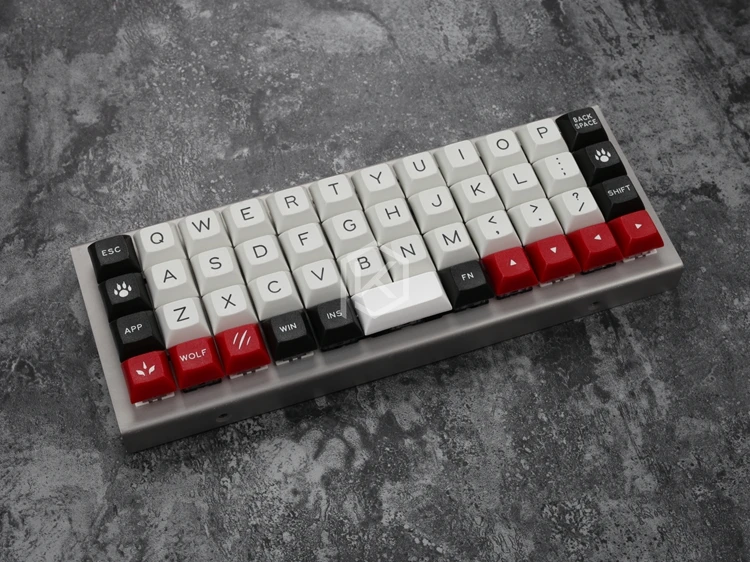
A compact 40% (12x4) ortholinear keyboard kit made and KPRepublic on AliExpress.
Keyboard Maintainer: QMK
Community
Hardware Supported: Atmega32A
Hardware Availability: AliExpress
Make example for this keyboard (after setting up your build environment):
make jj40:default:programSee build environment setup then the make instructions for more information.
Note that this is a complete replacement for the firmware, so you won’t be using Bootmapper Client to change any keyboard settings, since not all the USB report options are supported.
In addition you may need the AVR toolchain and
bootloadHID (GitHub repo) for
flashing:
For macOS:
$ brew cask install crosspack-avr
$ brew install --HEAD https://raw.githubusercontent.com/robertgzr/homebrew-tap/master/bootloadhid.rb
For Linux:
$ sudo apt install libusb-dev
$ wget https://www.obdev.at/downloads/vusb/bootloadHID.2012-12-08.tar.gz
$ tar -xzf bootloadHID.2012-12-08.tar.gz
$ cd bootloadHID.2012-12-08/commandline
$ make
$ sudo cp bootloadHID /usr/bin
In order to use the ./program script, which can reboot
the board into the bootloader, you’ll need Python 2 with PyUSB
installed:
$ pip install pyusbIf you prefer (or are having issues with a program
flash), you can just build it
(make jj40:<keymap-name> and flash the firmware
(.hex file) directly with bootloadHID if you
boot the board while holding down Backspace
(Top Right Key) to keep it in the bootloader:
$ make jj40
$ bootloadHID -r jj40_default.hex
For Windows 10: Windows sometimes doesn’t recognize the jj40. The
easiest way of flashing a new layout is probably using HIDBootFlash. 1.
Go to Windows Device Manager and find the keyboard (plug it in while
holding down Backspace (Top Right Key)). It
can be found under Human Interface Devices or under Keyboards. 2. Go to
properties and the Details tab to find the hardware ID. You want the VID
and the PID (code after the underscore). Plug them into HIDBootFlash and
hit Find Device. 3. Use make jj40:<keymap-name> to
generate the .hex file in the qmk basis folder. Select the .hex file in
HIDBootFlash and press Flash Device.
Troubleshooting
- Try plugging the board in while pressing
Backspace(Top Right Key). This will force it to boot only the bootloader without loading the firmware. Once this is done, just reflash the board with the original firmware. - Sometimes USB hubs can act weird, so try connecting the board directly to your computer or plugging/unplugging the USB hub.
- If you get an error such as “Resource Unavailable” when attemting to
flash on Linux, you may want to compile and run
tools/usb_detach.c. Seetools/README.mdfor more info.